Shift Happens
Product
Feature of the week: Modify products in the Self Service Center
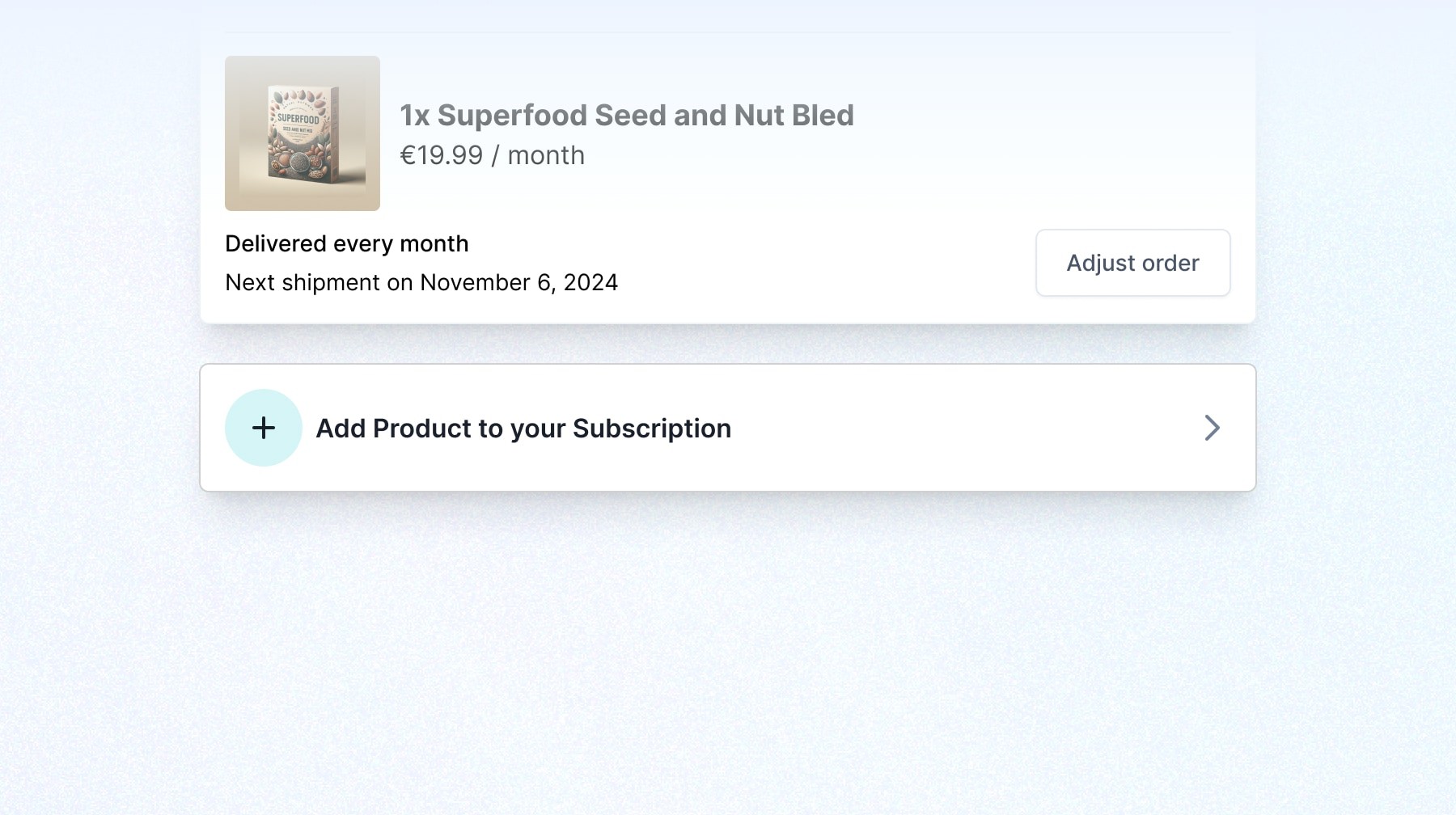
Your customers now have more flexibility to manage their subscriptions with ease. They can add or remove products whenever they like, directly in the Self Service Center.
Written by
Deidre Olsen
Published
Welcome back to our feature of the week series. This week, we are shining a spotlight on our Modify products in the Self Service Center feature.
We're always looking for ways to make life simpler and easier for you and your customers.
So, let’s dive into how this feature can give your customers more flexibility while also lightening your workload in the process.
What's new 👀
Your customers now have more flexibility to manage their subscriptions with ease. They can add or remove products whenever they like, directly in the Self Service Center.
You can turn this feature on or off in the customer portal. When it is activated, customers can easily explore or try out new and different products from your catalog—making it fun to discover their next favorite.
What are the benefits? 🤔
More flexibility for customers: Your customers can easily add or remove products from their subscriptions without going through checkout again, giving them more control and a smoother experience.
Less work for merchants: Since customers can manage their subscriptions on their own, it frees up your team from handling these changes, letting you focus on bigger tasks.
Control over what’s available: You can choose which products are available for customers to manage, so you still have control over what’s offered while giving them the flexibility to make changes.
How it works ⚒️
Once you enable this feature, customers will see a button to add or remove products from their subscription. The changes are automatically bundled with their next shipment and no extra checkout is needed. It’s a simple, flexible way for customers to manage their orders.
What is the setup process? 🔨
1. Enable the feature
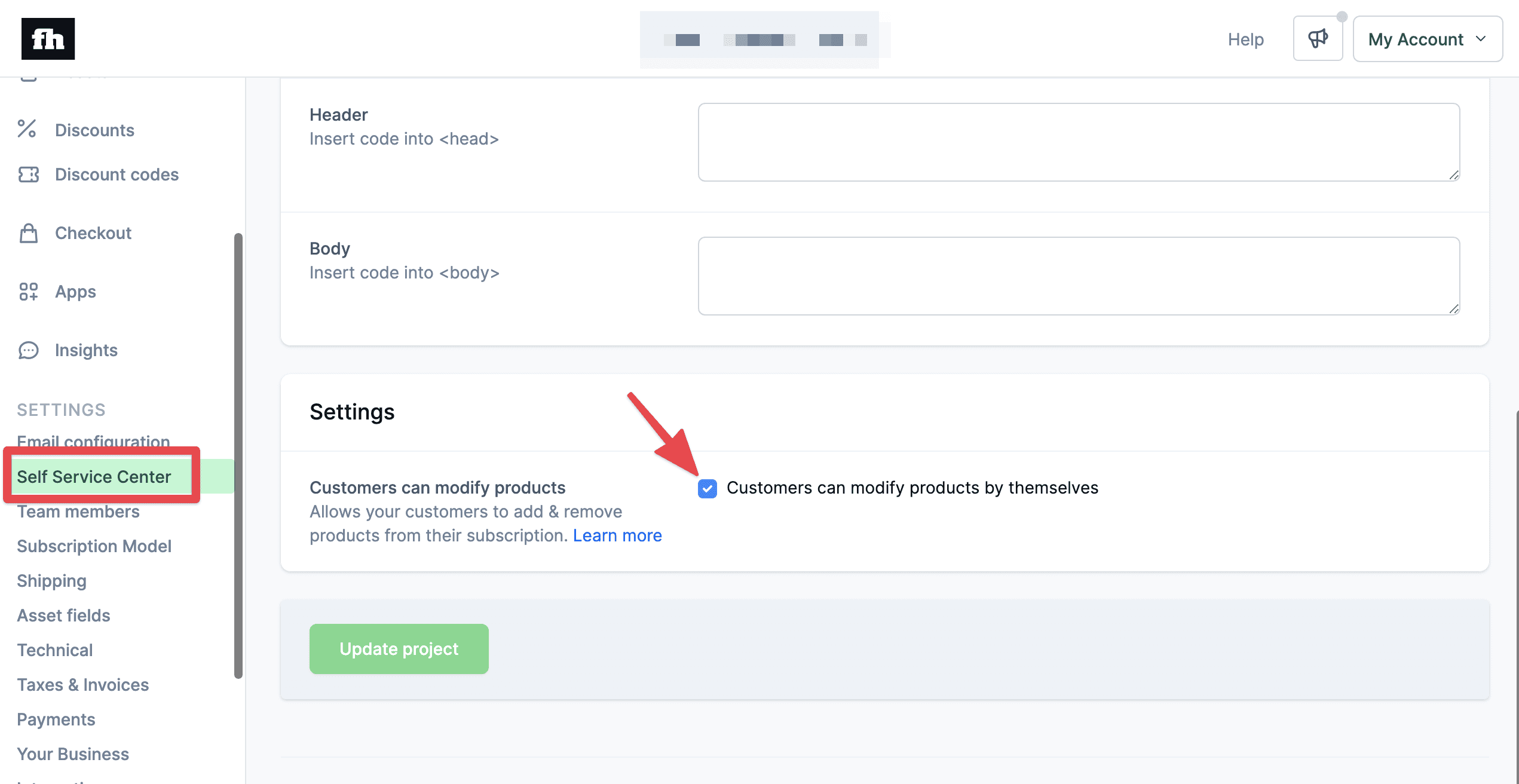
Go to the Self Service Center in the sidebar.
Scroll down to Settings.
Check the box next to Customers can modify products by themselves.
Click Update project to save your changes.
(Optional) To exclude specific products from being added or removed by customers, locate the product in your settings.
Scroll to Existing customers can add this product to their subscription and uncheck the box if you want to exclude it.
Click Save.
2. Offer customer access
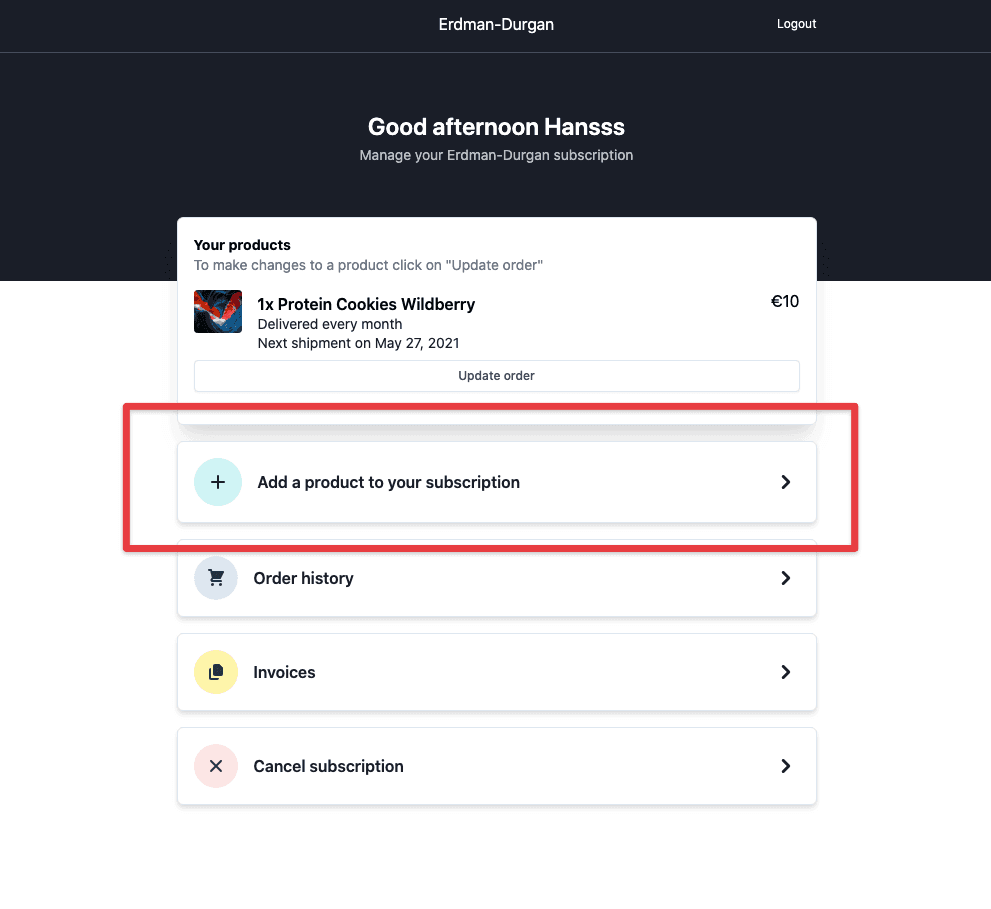
Once set up, customers will see a new button to add or remove products from their subscription directly in the Self Service Center.
Things to keep in mind 🧠
Smart order-based projects: This feature is only for smart order-based projects, not plan-based ones. Make sure you're using the correct project type before setting it up.
Shopify integration: Customers can choose their desired products from the Shopify product variants synced to your Firmhouse product catalog.
One-off orders: At the moment, reordering previously purchased one-time products isn’t available. We’ll keep you posted when we add this feature in the future.
Get the full scoop on how to allow existing customers to add products to their subscriptions in our Help article.
You can also learn more about how to let customers manage their subscriptions in our Self Service Center here.
Otherwise, visit our Changelog for other product features and improvements. Should you have any questions or require assistance, our support team is ready to help.
Join us next week for another great update. 😉
Keep reading

Product
Summer '26 release: The Retention Edition
Black Friday is eleven weeks away. Most of the subscribers you win that week will decide in January whether they stay. Over the summer we built four capabilities that work together on exactly that: a new Klaviyo integration, Offers, Workflows, and a visual builder for Customer Portal v2. All four are in early access.
Bob Jansen
·

Product
Feature of the week: Direct references to Shopify
You can now enjoy direct references from customers, invoices, and orders in Firmhouse back to the corresponding entries in your Shopify admin. This update provides you with faster navigation and more control over your subscription data.
Deidre Olsen
·
Product
Feature of the week: Metrics dashboard
Our metrics dashboard brings you a streamlined way to manage your business metrics. It combines historical KPIs, real-time insights, and cohort analyses into an intuitive format, helping you understand your business at every level.
Deidre Olsen
·